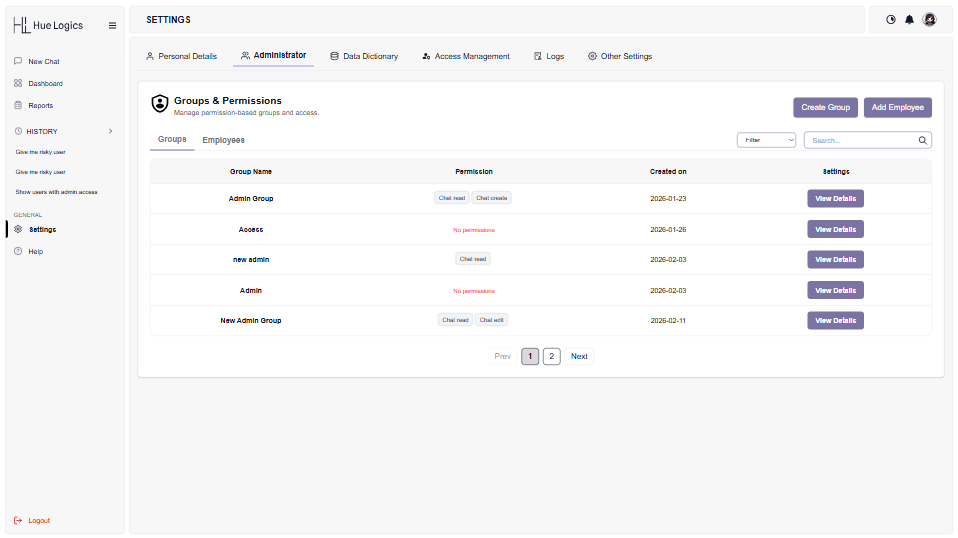
Define roles down to individual permissions, and manage nested groups without losing clarity. Every group, permission, and employee assignment lives in one clean interface — built to stay legible even as your organization scales.
Granular, allow / deny permission controls
Nested groups that stay clear as they grow
Add or remove employees in seconds
Every group opens into a clear,
focused view.
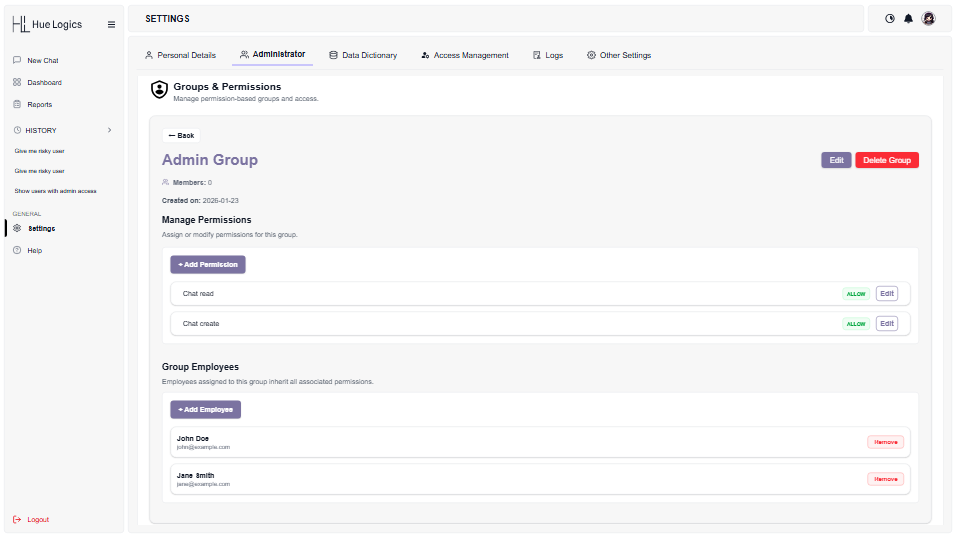
Click “View Details” on any group and the noise falls away — just that group’s permissions, its members, and the two controls you need to change either one.
Group Detail
One page, the full picture
Open any group to see its member count, creation date, active permissions, and assigned employees together. Nothing is buried behind another click — edit a permission or remove an employee right from this view.
Permissions shown with their current Allow / Deny state
Employees listed with one-click removal
Delete Group is deliberately separated and color-coded
Spot a group with no permissions assigned before it becomes a gap
Add Permission
Allow or deny, permission by permission
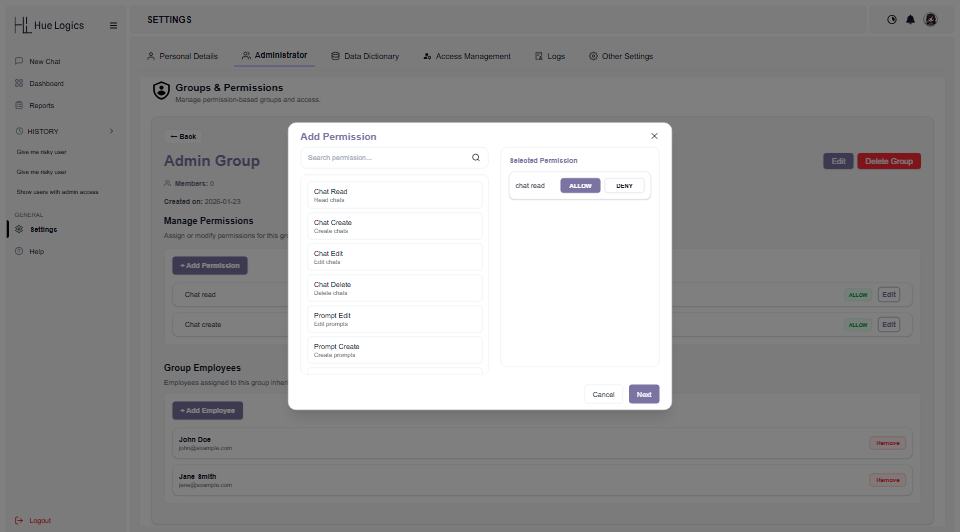
Search the full permission catalog — Chat Read, Chat Create, Chat Edit, Chat Delete, Prompt Edit, Prompt Create, and more — and set each one to Allow or Deny before applying it to the group. Nothing is granted by default.
Searchable permission catalog, grouped by area
Explicit Allow / Deny toggle on every permission
Review your selection before it's saved to the group
Add Employee
Two ways to bring someone into a group
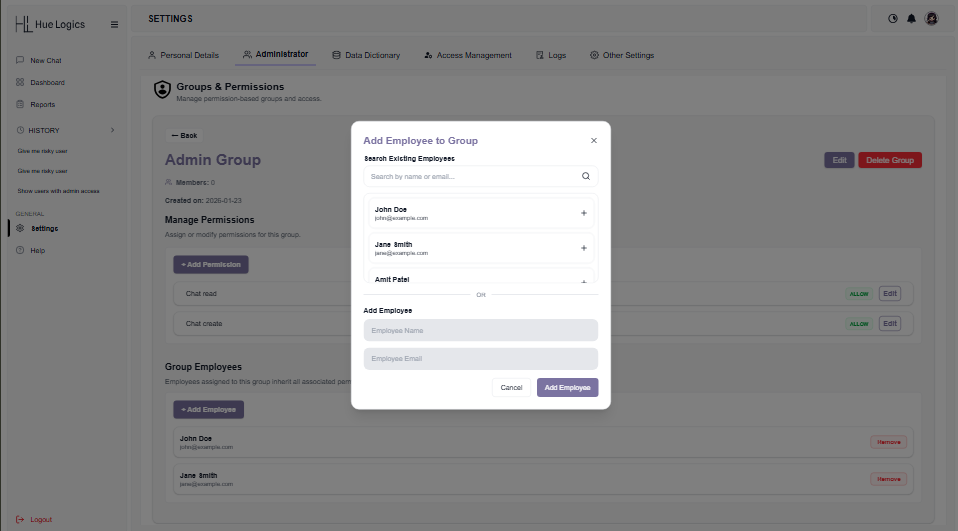
Pull from your existing employee directory with a search-and-add, or invite someone new by name and email — both paths land in the same “Add Employee to Group” flow, so there’s never a wrong door.
Search-as-you-type across existing employees
Add a brand-new employee inline, without leaving the group
New members inherit the group's permissions immediately
Structure that scales without turning
into a mess.
User and permission management is where most platforms get messy first. Hue Logics keeps it legible, whether you have five groups or five hundred.
Granular, explicit permissions
Chat read, create, edit, and delete, plus prompt-level controls — each set to Allow or Deny, never assumed.
Find anything in seconds
Search and filter groups, permissions, and employees instead of scrolling through a growing directory.
Two ways to add employees
Pull from your existing directory or invite someone new inline — both feed the same group instantly.
Every change, logged
Every group creation, permission change, and employee addition is timestamped and attributed to the admin who made it.
From a policy trigger to an enforced
change.
Every group in Hue Logics is built through the same four-step pass, whether it governs two people or two hundred.
01
Create
Name the group and it appears instantly in the Groups list, ready to configure.
02
Assign
Search the permission catalog and set each capability to Allow or Deny.
03
Add
Bring in employees from your directory or invite someone new inline.
04
Enforce
Permissions apply the moment they're saved, and every change is written to the audit log.
See User & Permission Management on your own org.
Request a demo and build a real group, permission, and employee assignment live.