Adjust your security posture in real time with custom policy hooks that respond to environmental triggers and threat intelligence. One settings surface controls identity providers, permission groups, and data mappings — and every change enforces instantly, no deploy required.
Instant enforcement, no deploy required
Every change logged automatically
Okta, Azure AD, Auth0, PingOne, Google Identity, one panel
One settings surface, three control
panels.
Dynamic Settings isn’t a single form—it’s the control plane for how your organization runs on Hue Logics. Here’s a closer look at what you can configure without ever filing an engineering ticket.
Administrator
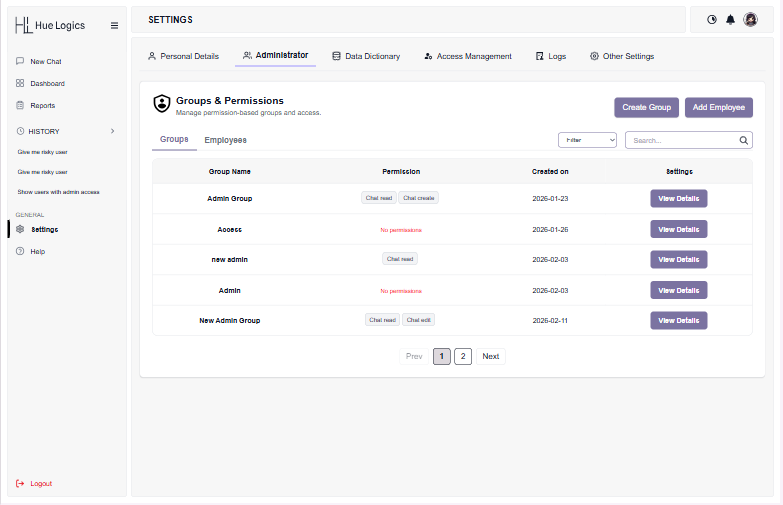
Groups & Permissions
Create permission-based groups, add employees, and assign scoped permissions like Chat read or Chat create — set once here and enforced everywhere in Hue Logics, from the AI chat interface to every dashboard and report.
Create unlimited groups and attach granular permissions
See at a glance which groups have no permissions assigned
Add employees directly into a group from the same screen
Data Dictionary
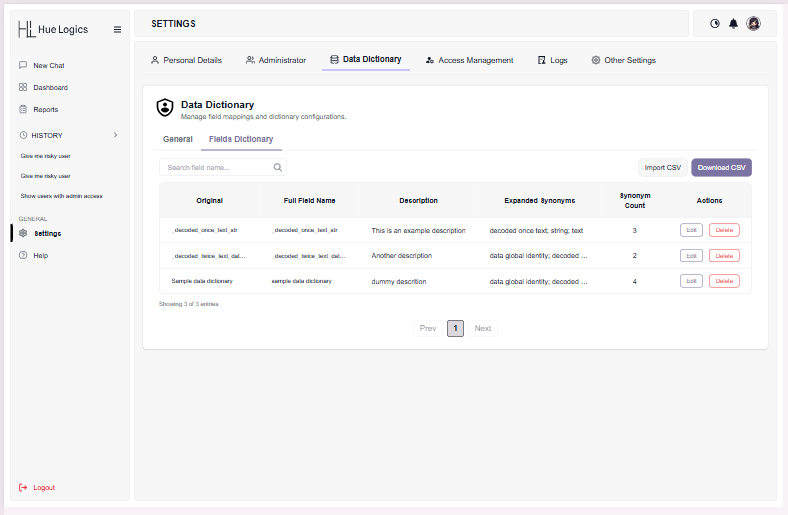
Fields Dictionary
Map raw field names to full, human-readable definitions and synonyms so the AI chat interface and every downstream report speak the same language as your team. Import an entire mapping from a CSV, or export the current dictionary in one click.
Search any field by its original or expanded name
Bulk import and download mappings as CSV
Track synonym counts to catch ambiguous fields early
Access Management
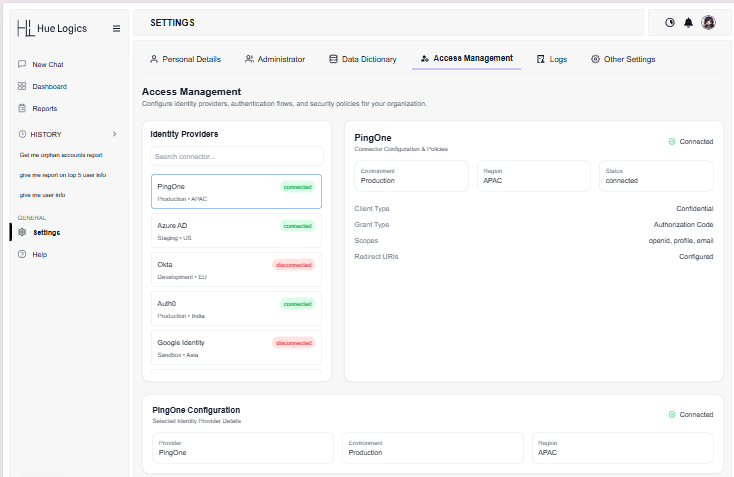
Identity provider connectors
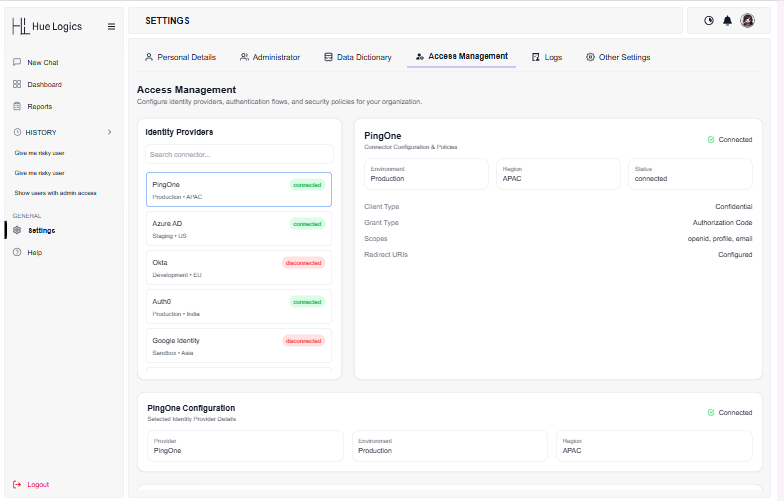
Connect PingOne, Azure AD, Okta, Auth0, and Google Identity from one panel and see live connection status at a glance. Drill into any connector’s environment, region, client type, grant type, and scopes — and update its policy without a deploy.
Live connected / disconnected status per provider
Environment and region shown for every connector
Full OAuth configuration surfaced in one detail card
Settings that enforce themselves.
Every change made in Dynamic Settings takes effect immediately, everywhere it applies — no redeploy, no cache to clear, no ticket to file.
Group-based permissions
Chat read, Chat create, and more — scoped to a group and applied instantly across the platform.
Multi-provider identity
Connect PingOne, Azure AD, Okta, Auth0, and Google Identity side by side, with live status for each.
A shared data language
The Data Dictionary keeps field names, descriptions, and synonyms consistent across chat, dashboards, and reports.
Every change, logged
Settings updates flow straight into the audit trail, so “who changed what, and when” is never a mystery.
From a policy trigger to an enforced
change.
Dynamic Settings runs the same four-step pass whether you’re editing a group, mapping a field, or connecting a new identity provider.
01
Define
Set the group, field mapping, or connector policy you want to control.
02
Connect
Link identity providers and permissions to the people and data they govern.
03
Trigger
Attach policy hooks that react to environmental signals or threat intelligence automatically.
04
Enforce
Every save takes effect immediately, platform-wide — and is written to the audit trail.
See Dynamic Settings on your own organization.
Request a demo and configure a live identity connector, permission group, or field mapping yourself.