Talk to your identity

data like a

teammate.

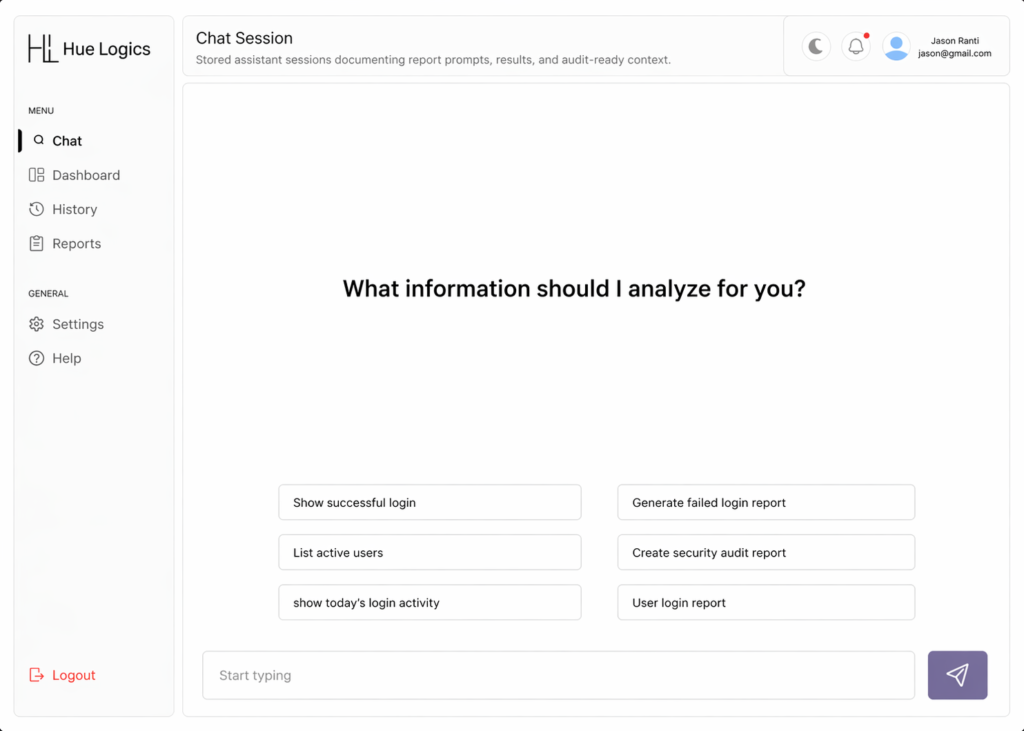
Every question about a user, a login, or a permission used to mean opening three tools and waiting on someone else’s schedule. The AI chat interface collapses that into one line of plain English—asked and answered inside the same conversation.

AI Chat Interface Image

No syntax to remember — just ask.

These are real prompts admins run every day inside Hue Logics. Type the question, get a structured answer back in the same thread.

“Show successful logins from the last 24 hours”

“Generate a failed login report for this week”

“List every active user in the Finance group”

“Create a security audit report for Q2”

“Show today’s login activity by department”

“Pull a login report for a specific user”

Built to hold a real conversation, not

just answer one question.

The interface remembers, organizes, and lets you refine—so a chat with Hue Logics works the way a conversation with a colleague would.


Structured, not walls of text

Answers come back as clean, usable data — tables, lists, and figures you can act on immediately.

Edit & copy any prompt

Refine a question after it’s asked and Hue Logics re-runs it in place — the thread stays clean, and nothing gets lost mid-conversation.

Every chat, one click away

Start a new conversation any time — each one is saved from the very first prompt, with no setup in between.

Scoped to your role

Answers only ever surface data you’re permitted to see — access control applies inside the chat, not just around it.

From plain English to a structured

answer.

Every prompt runs through the same four-step pass, whether you’re asking about one login or a full audit trail.

01

Ask

Type your question the way you'd say it out loud — no fields, filters, or query syntax.

02

Interpret

Hue Logics identifies what you're asking about — a user, a group, a time range, an event type.

03

Retrieve

The right records are pulled and cross-referenced automatically, in the background.

04

Respond

You get a structured answer in the thread — saved to your chat history for next time.

See the AI Chat Interface on a real conversation.

Request a demo and ask Hue Logics a question about your own identity data.